
Lord of Undead Controls & Keybindings
Lord of Undead controls: the Hold Q minion command wheel, inventory shortcuts, camera zoom and rebindable keys, from the developer's pinned Steam post.
Hold Q — The Most Important Command
The single most useful thing to know is Hold Q (or MMB). Holding Q opens a radial command menu for your currently selected minions. The pinned post names Follow and Go Home, and the First Update also names Attack and Hold; official materials show the resource-gathering order. The command list here is: Attack, Gather, Follow, Go Home, and Hold.
Move is omitted from the command table because the official post and patch text reviewed here do not document it.
The developer's pinned post ("Useful Controls Tips You Might Have Missed!", S4) explicitly recommends binding Follow and Go Home to separate hotkeys in the Controls settings for faster access instead of opening the radial each time.
Inventory Shortcuts
The following shortcuts come directly from the developer's pinned Steam community post (S4), attributed to the developer (1 publisher source):
| Action | Key | Notes |
|---|---|---|
| Quick-transfer item (chest ↔ inventory) | RMB on item | Works in any container |
| Quick-equip item | RMB on item | If slot is free, equips directly |
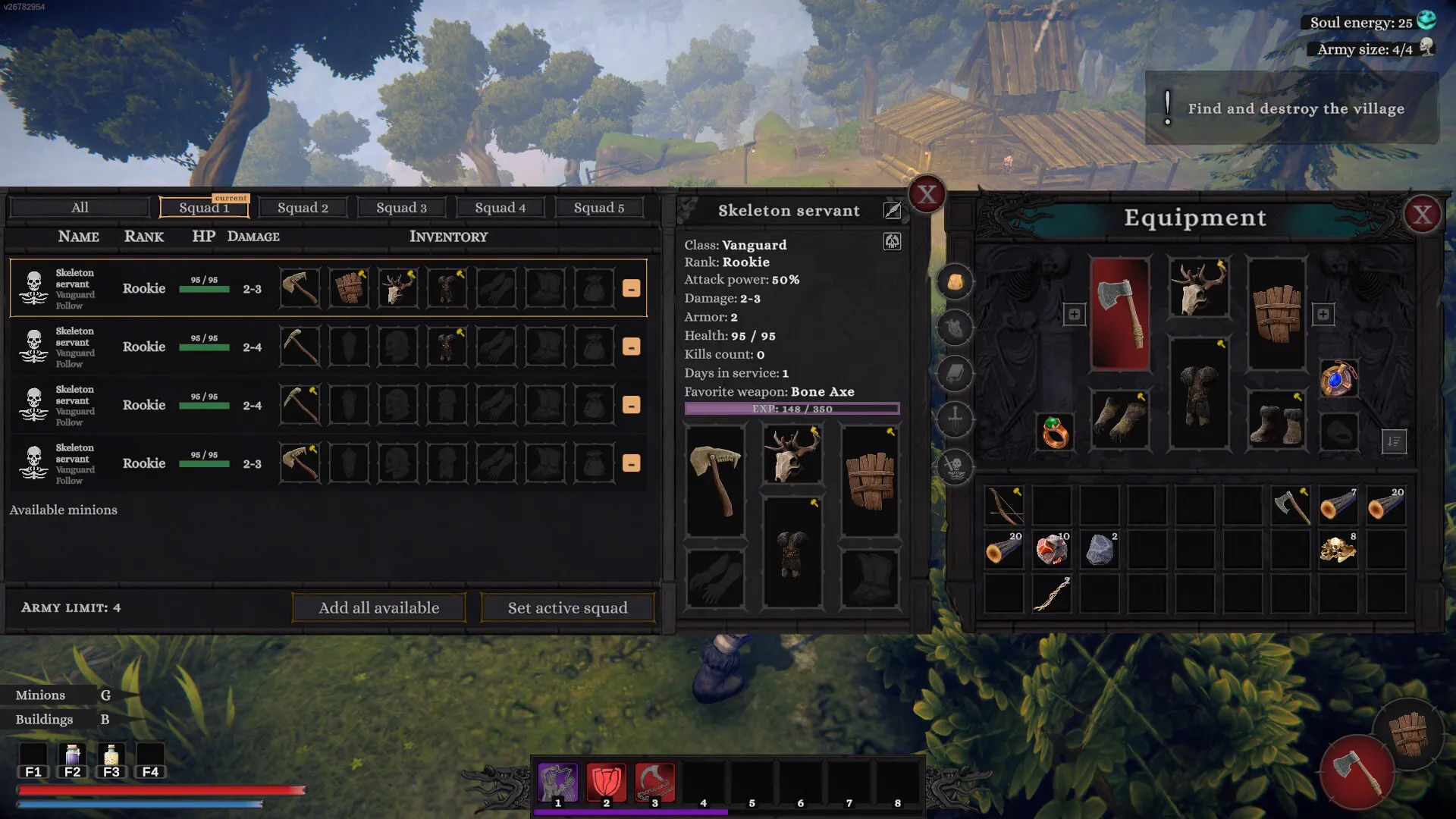
| Equip to empty minion slot | Ctrl + RMB on item | Puts item in first empty minion equipment slot |
| Split a stack | MMB (middle mouse) | |
| Show minion HP bars | Z | Toggle |
| Open minion command radial | Hold Q or MMB | Radial menu: Attack/Gather/Follow/Go Home/Hold |
| Show/hide your own weapon | R | Developer pinned post; 1 publisher source |
| Minions panel | G | From screenshot — single source |
| Buildings panel | B | From screenshot — single source |
| Quick-use consumable | F1–F4 | Hotbar slots 1–4 |
| Camera zoom | Ctrl + Mouse Wheel | |
| Adjust structure height offset | Ctrl + Mouse Wheel | During building placement |
| Teleport to Pylon (controller) | Y button | First Update; this is a controller button, not a documented keyboard Y binding |
| Interact | E | Rebindable in settings |
| Auto-Sprint | Settings toggle | Enable in Controls settings; watch stamina |
Control Changes in Patches
The First Update (November 20, 2026) made two changes relevant to controls: the Interact key (E) became rebindable, and the controller Teleport to Pylon action moved to the Y button. If you are playing with a pre-patch guide that assigns a different key to teleport, check whether it is describing keyboard or controller input.
Update #2 (February 19, 2026, pre-launch) removed the Alt roll mechanic. If you read about rolling in older preview content, that feature is gone in the current build.
Update #7.2 (June 25, 2026) added backpack sorting. The backpack button and sorting function are accessible through the inventory interface.
Controller Support
Lord of Undead has Partial Controller Support on Steam. DualShock and DualSense controllers are specifically listed. Full controller parity with mouse and keyboard is not guaranteed by the Partial rating.
Steam Deck is rated Unsupported (graphics performance) — see the platforms page for details.
Frequently Asked Questions
How do you give minions orders in Lord of Undead?
How do you zoom the camera in Lord of Undead?
How do you equip minions in Lord of Undead?
What does Hold Q do in Lord of Undead?
Sources
- Steam Store Page (AppID 4018330) — accessed 2026-11-21
- Steam announcements feed (16 posts) — accessed 2026-11-21
- Developer pinned controls tips — 1 publisher source — accessed 2026-11-21
- Official First Update — controller Y, durability UI, minion retreat — accessed 2026-11-21
- Official Steam Screenshots (14 images) — accessed 2026-11-21